
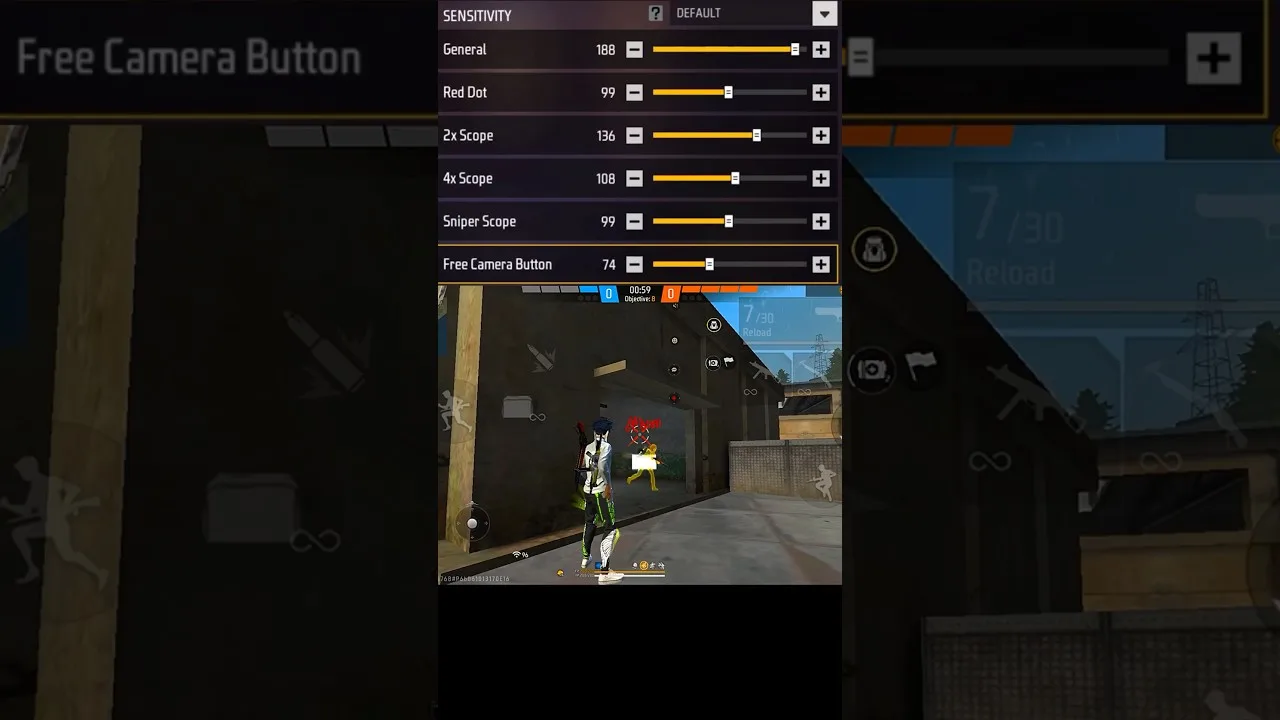
Headshots in close and mid-range fights are mostly a drag-aim skill: a short, controlled upward swipe that lifts the crosshair from chest to head as you fire. The settings inside Panel Red headshot settings decide how that swipe behaves — too slow and the drag dies at the neck, too fast and it sails over the head entirely. This guide tunes the drag properly and pairs it with the practice that makes settings matter.
Start from an honest premise: no slider produces headshots by itself. Settings set the terms; your thumb does the work. The goal is a setup where the correct swipe length feels natural on your phone.
The Two Sliders That Govern the Drag
The general sensitivity governs how the crosshair moves while firing from the hip and during the drag itself; the red dot sensitivity governs the same motion while aiming with the red dot sight, where most deliberate drags happen. These two do most of the headshot work, and they should be tuned together, in that order.
Scope sensitivities matter for longer fights but barely touch the close-range drag. Beginners who tune scopes first are polishing the wrong tool. The role of every slider is laid out in our sliders explained guide.
Finding Your Drag Length
In the training ground, stand at a typical fight distance from a target and perform your natural drag — the swipe your thumb wants to make. Watch where the crosshair finishes. Consistently short of the head means raising the governing sensitivity a few points; consistently past it means lowering. Adjust in small steps and retest with twenty drags each time, because single attempts lie.
Distance changes the answer, so test at two ranges: a near drag and a mid-range one. A good setup is a compromise that behaves at both, which is exactly why extreme values fail — a setting perfect at one distance is unusable at the other. The structured version of this routine is our training mode testing guide.
Phone Size and DPI Change the Equation
The same values drag differently on different hardware: a compact phone completes the swipe in less physical distance than a large one, and DPI settings alter how the system reports movement. If you change phones, expect to re-tune the drag — carry the method, not the numbers.
Our phone size and DPI guide explains how to adjust when hardware changes, so a new phone becomes an afternoon of calibration rather than a month of lost aim.
Practice That Converts Settings Into Skill
Settings settle in days; skill settles in weeks. Ten focused minutes of drag practice in training — same distance, same target, counting clean headshots out of twenty — does more than an hour of matches, because matches scatter your attention across looting, positioning, and panic.
Track the count. When your twenty-drag score climbs and holds across several days, the setup and the skill have met — and that, not any particular number, is what 'headshot settings' actually means.
Final Thoughts
Tune the general and red dot sliders around your natural swipe, test at two distances, respect your hardware, and practise in counted sets. Headshots are a habit built on a well-fitted setup — Panel Red fits the setup; the habit is yours to build.